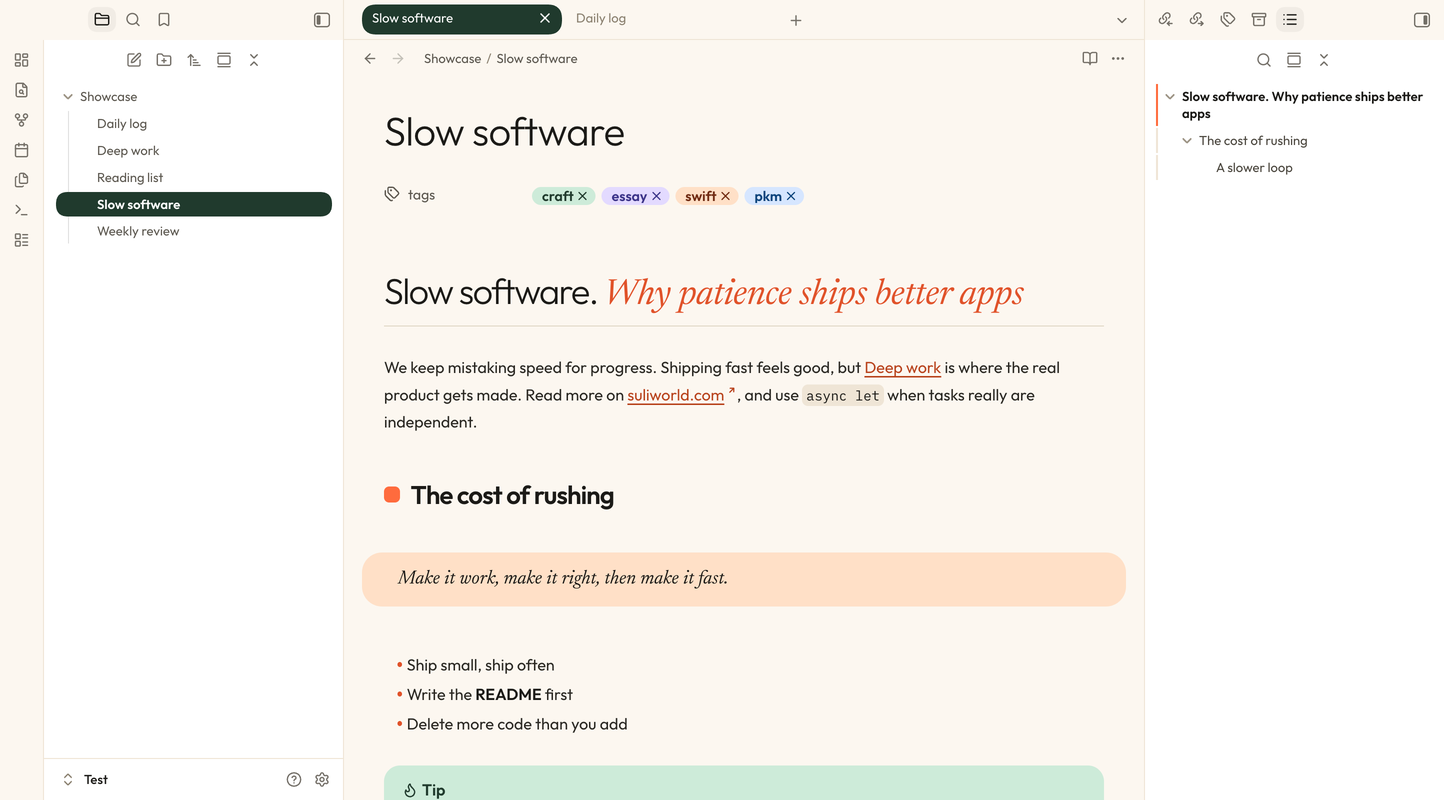
Suliworld is a theme for Obsidian based on the design of this site: cream paper, forest green, a touch of orange, and serif accents. It is free, open source, and ships with its fonts, so it works offline.
What you get
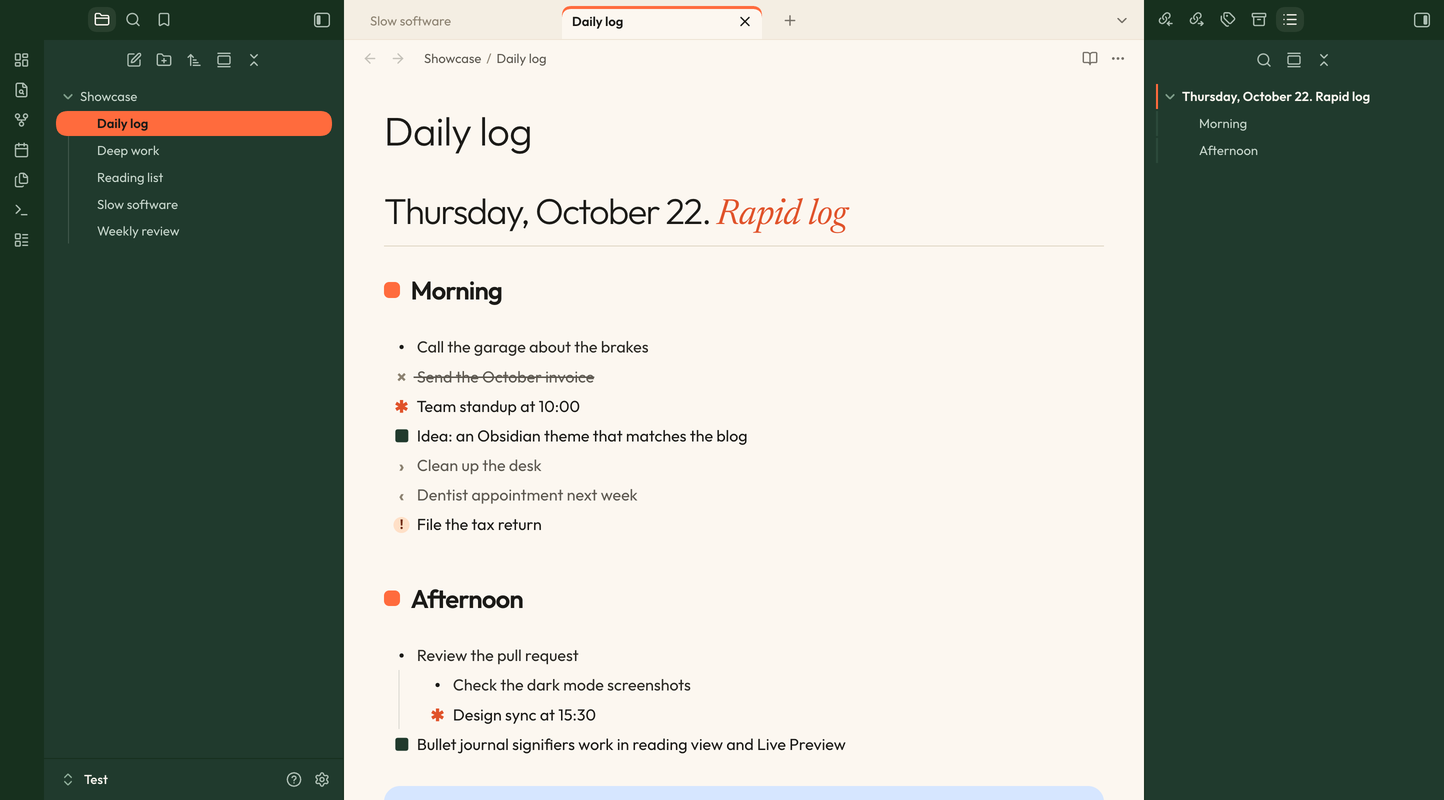
- Two light variants. Cream has white sidebars and pill tabs. Forest uses a deep green ribbon and sidebars with orange-underlined tabs.
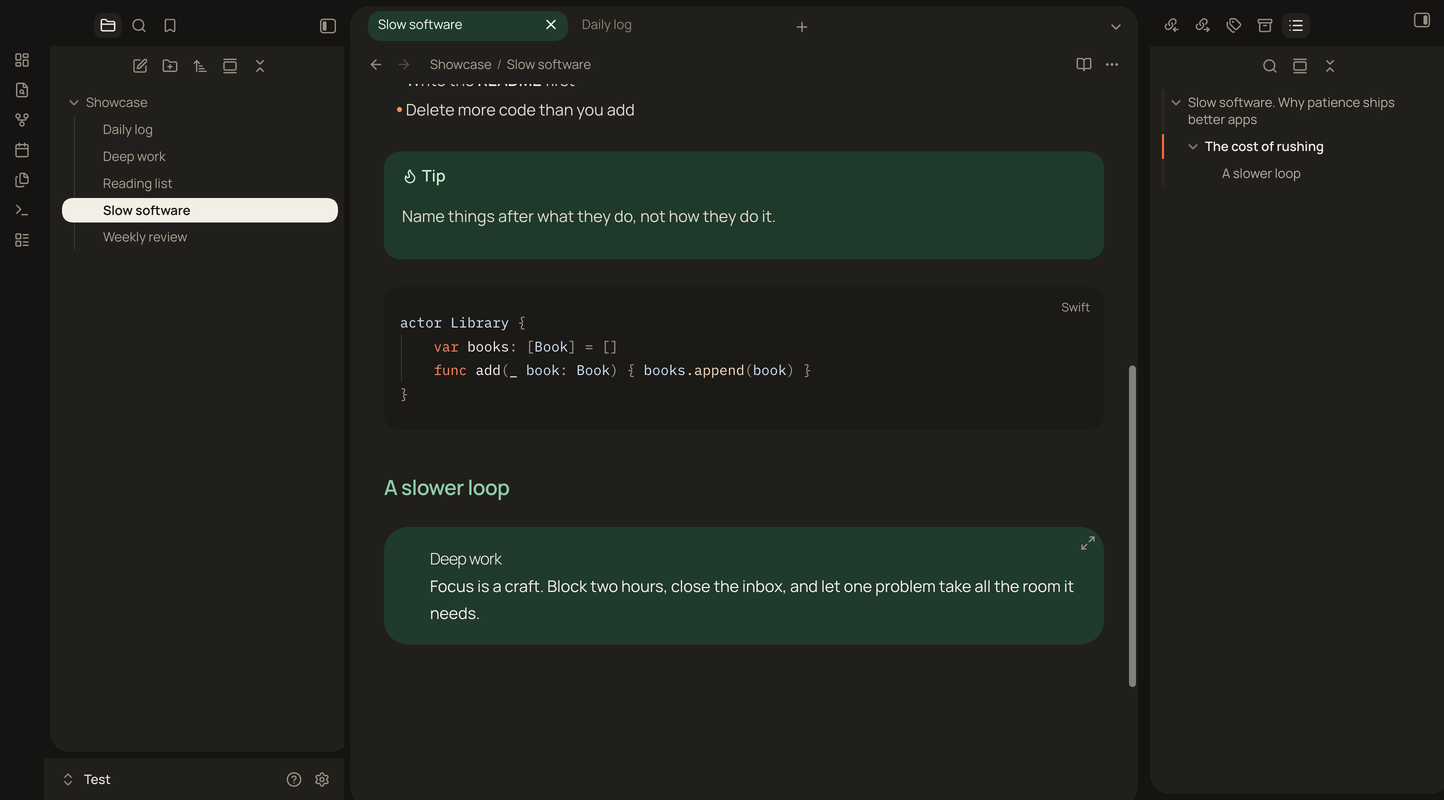
- Dark mode with floating cards. Rounded panes float on a near-black canvas on desktop.
- Editorial headings. Each level has its own look, from a large light H1 over a hairline to small caps at H6. Italic text inside a heading turns into an orange display serif:
# Slow software. *Why patience ships better apps*. - Tinted callouts, peach quotes, dark code blocks. Note in blue, tip in mint, warning in peach, question in lavender.
- Pill highlights and folder colors.
==Highlighted text==sits in a rounded pill, and each folder in the file explorer gets its own tint. - Five font pairings, all bundled, picked in Style Settings.
Bullet journal, built in
The character between a task’s brackets picks the symbol shown in place of the checkbox. Every symbol and color can be changed in Style Settings.
| Markdown | Meaning | Default symbol |
|---|---|---|
- [ ] | Task | • |
- [x] | Done | × (struck through) |
- [*] | Event | ✱ orange |
- [n] | Note | ■ forest green |
- [>] | Migrated | › |
- [<] | Scheduled | ‹ |
- [!] | Important | ! on a peach disc |
Events and notes aren’t clickable, so a stray click can’t turn them back into tasks.
Install
The theme is not in the community store yet. Download theme.css and manifest.json from the latest GitHub release into .obsidian/themes/Suliworld/ in your vault, then pick Suliworld in Settings → Appearance → Themes. Install the Style Settings plugin to customize it.